Show off any cool projects you’re working on!
Guidelines:
- Please keep it to one thread per project.
- Remember that image uploads are not allowed, please link to external sites instead (e.g. imgur).
Show off any cool projects you’re working on!
Guidelines:
rover robot running your code

don’t see how to post it in projects
john
My robot chassis for articubot using laser cut acrylic and 3d printed parts
My differential drive robot using ROS 2 Jazzy, with Raspberry Pi 5.
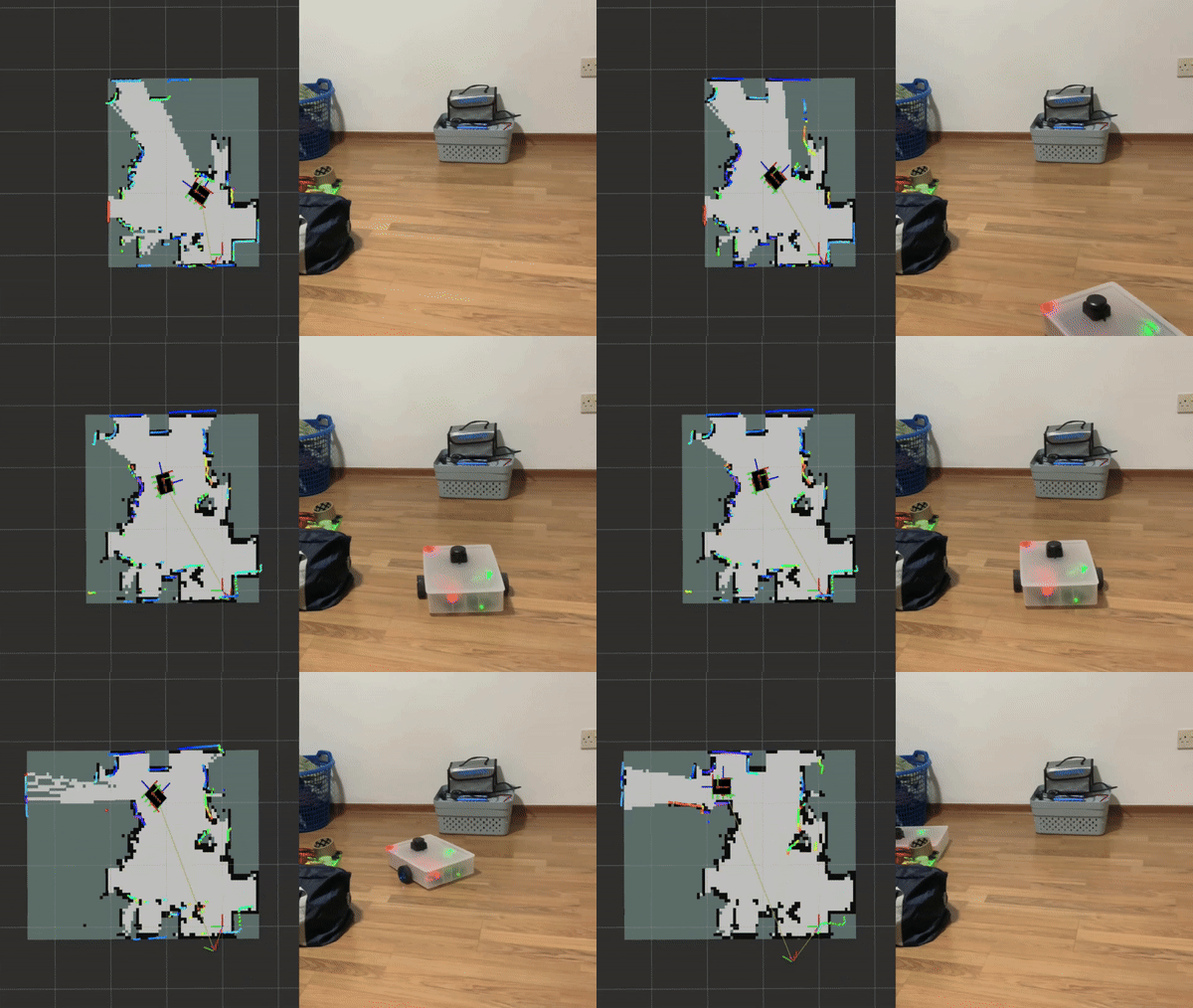
repo: https://github.com/YJ0528/minibot
Hope this helps those who are trying ROS 2 Jazzy as well.
I have a repository based on Articulated Robotics code, ported to Ubuntu 24.04, ROS Jazzy, Gazebo Harmonic.
The SIM part can be easily run on a desktop Ubuntu 24.04 computer, here are instructions:
It is work in progress and is frequently updated.
ike a lot of you, I learned ROS 2 partly through Josh’s videos. Along the way I built up a notepad full of commands: which workspace to source, which launch file, which args, which terminal goes first. And whenever something didn’t work, I lost an evening finding out it was a stale overlay, a QoS mismatch or a missing /clock.
So I built ROSHub, a small local web dashboard (localhost:8090) that does two things:
1. Manages your ROS 2 projects. Point it at a GitHub URL or a local folder and it finds the packages and launch files statically, without running any of your code. It also detects multiple workspaces (e.g. humble_ws + jazzy_ws) and works out which simulator you’re using. It then gives you a step-by-step bring-up: a clean colcon build, dependency checks (it shows you the exact rosdep/apt command and never installs silently), and readiness gates that wait for /clock, topics and ports before moving on.
2. Helps you debug. The Project Doctor runs a quick (~2 s) or deep (~5 s) check covering build state, environment overlays, RMW/Zenoh, orphaned or duplicate simulators, QoS mismatches, /clock, /odom and the TF tree. There’s also a “Can it move?” probe: it finds who’s listening for velocity commands, works out Twist vs TwistStamped, drives gently (0.1 m/s for 1.5 s) and checks that /odom actually changed. If something’s wrong, one click exports a Markdown report you can paste into an issue, a forum post like this one, or an LLM.
It’s pure Python (stdlib + PyYAML), so there’s nothing heavy to install. There’s a verified example profile for TurtleBot3 + Gazebo Harmonic and an attach profile for Isaac Sim.
It’s an early alpha (0.1.0-alpha), so I’d really value:
Thanks for reading, and happy to answer questions!